Daily Talk Time
The Daily talk time per user setting lets you establish fair-use limits across your conversational AI projects. Giving each user a daily allowance protects your overall quota from abuse or runaway calls while maintaining an excellent caller experience.
Configuring Daily Talk Time
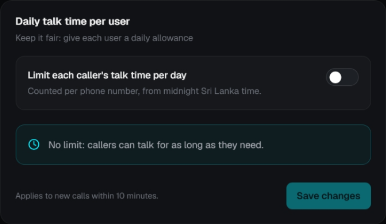
Setting the Allowance
- Navigate to the Settings view in Chakra Console.
- Ensure your target project is selected in the top dropdown.
- Locate the Daily talk time per user card.
- Toggle the Limit each caller's talk time per day switch:
- Toggle OFF: "No limit: callers can talk for as long as they need."
- Toggle ON: Enter the maximum daily talk time permitted per caller.
- Click Save changes.
Changes propagate and apply to new calls within 10 minutes.
How It Works
Per-Caller Tracking
Talk time is counted per telephone number (or unique caller identifier on web voice channels). Every session conducted by that phone number throughout the day is aggregated toward their daily allowance.
Midnight Reset
Allowances reset every night at midnight Sri Lanka time (Asia/Colombo, UTC+5:30). When midnight arrives, all accumulated counters reset to zero, allowing users to call again.
Caller Experience
| Situation | What happens |
|---|---|
| Under Limit | Normal, uninterrupted conversation with the conversational AI agent. |
| Near Limit | The caller hears a gentle reminder indicating that their daily allowance is nearly exhausted. |
| Allowance Reached | The AI agent politely explains that the daily talk-time allowance has ended and invites the user to call back tomorrow, then gracefully ends the session. |
| In-Flight Protection | Sessions already in progress keep the voice and limit they started with, ensuring calls are never cut off unexpectedly due to an administrator change. |
Operational Notes
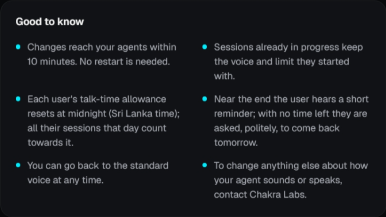
- 10-Minute Rollout: Changes take effect on running workers within 10 minutes without requiring application restarts.
- Fair Protection: Prevents individual callers from exhausting your organization's monthly minutes or monopolizing inbound lines.
- Usage Visibility: Aggregate project minutes are monitored on the Dashboard. For custom per-caller reporting or whitelist overrides, contact Chakra Labs support.